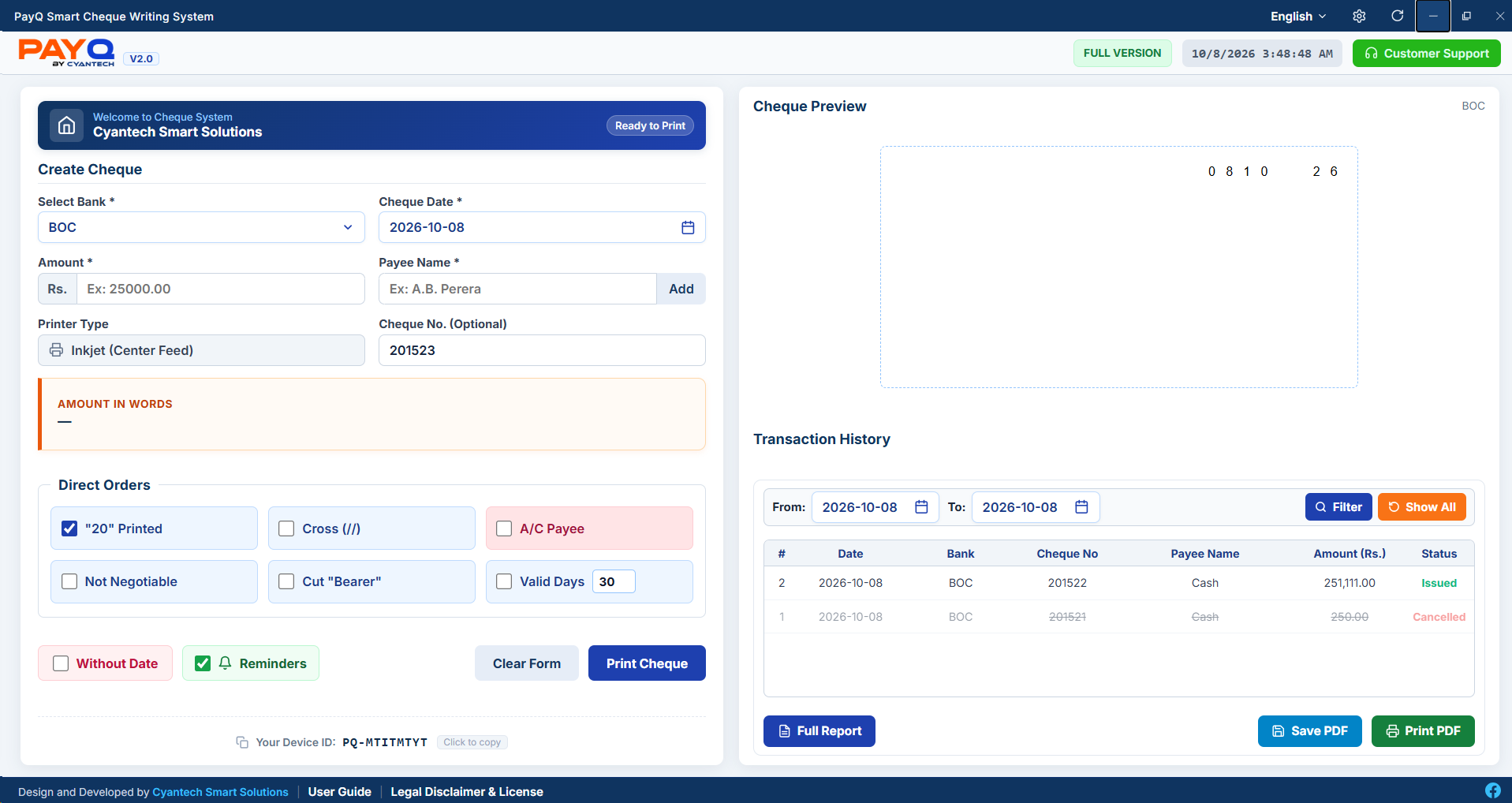
The all-in-one desktop cheque printing and voucher issuance software for Sri Lankan businesses. Featuring corporate branding, bank cheque sequences, tri-lingual alerts, and automatic updates.
Engineered for complete precision, accountability, and seamless printing.
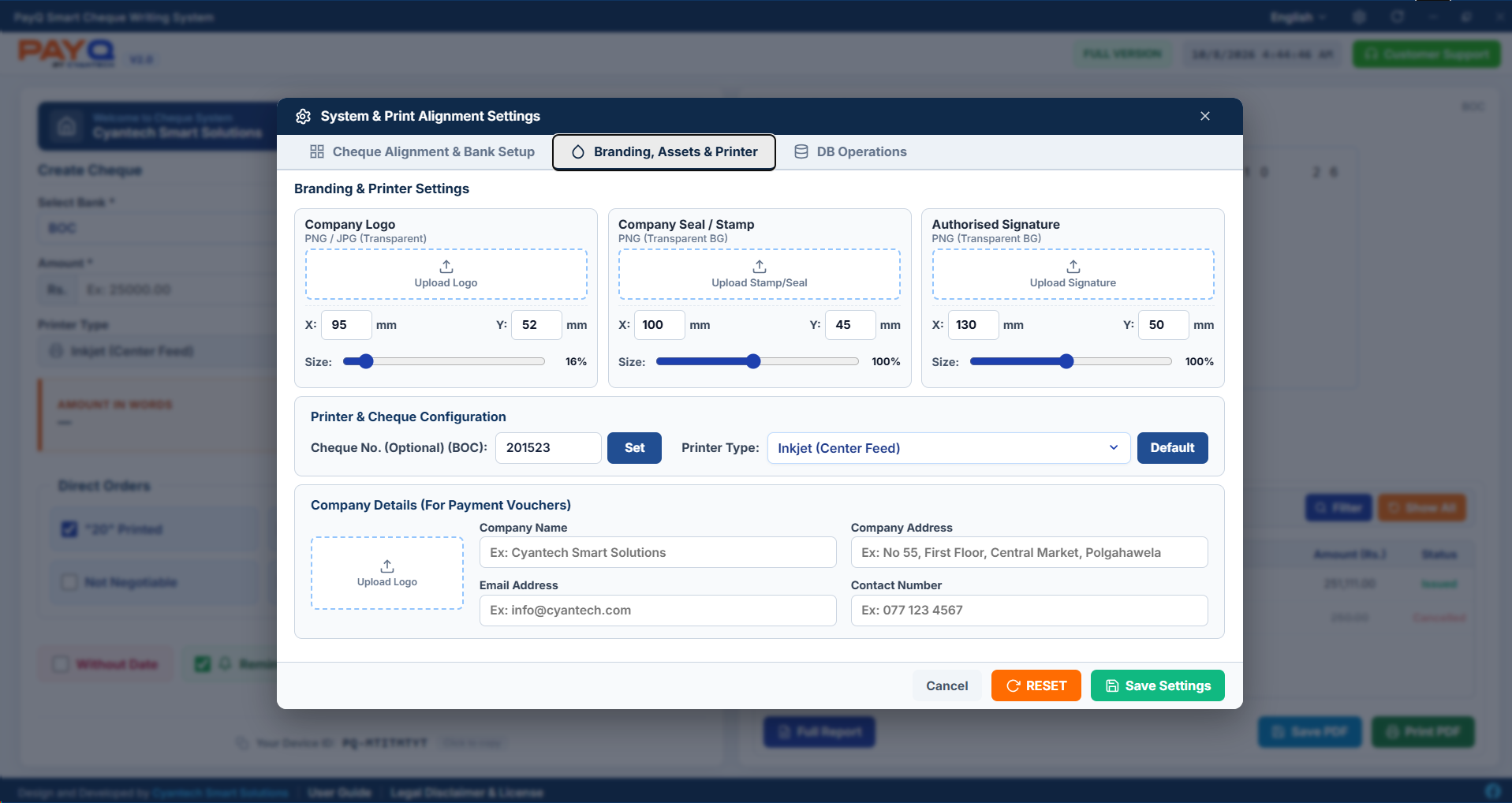
Upload and embed Company Logo, Official Seal/Stamp, and Authorized Signatures directly onto cheques and vouchers.
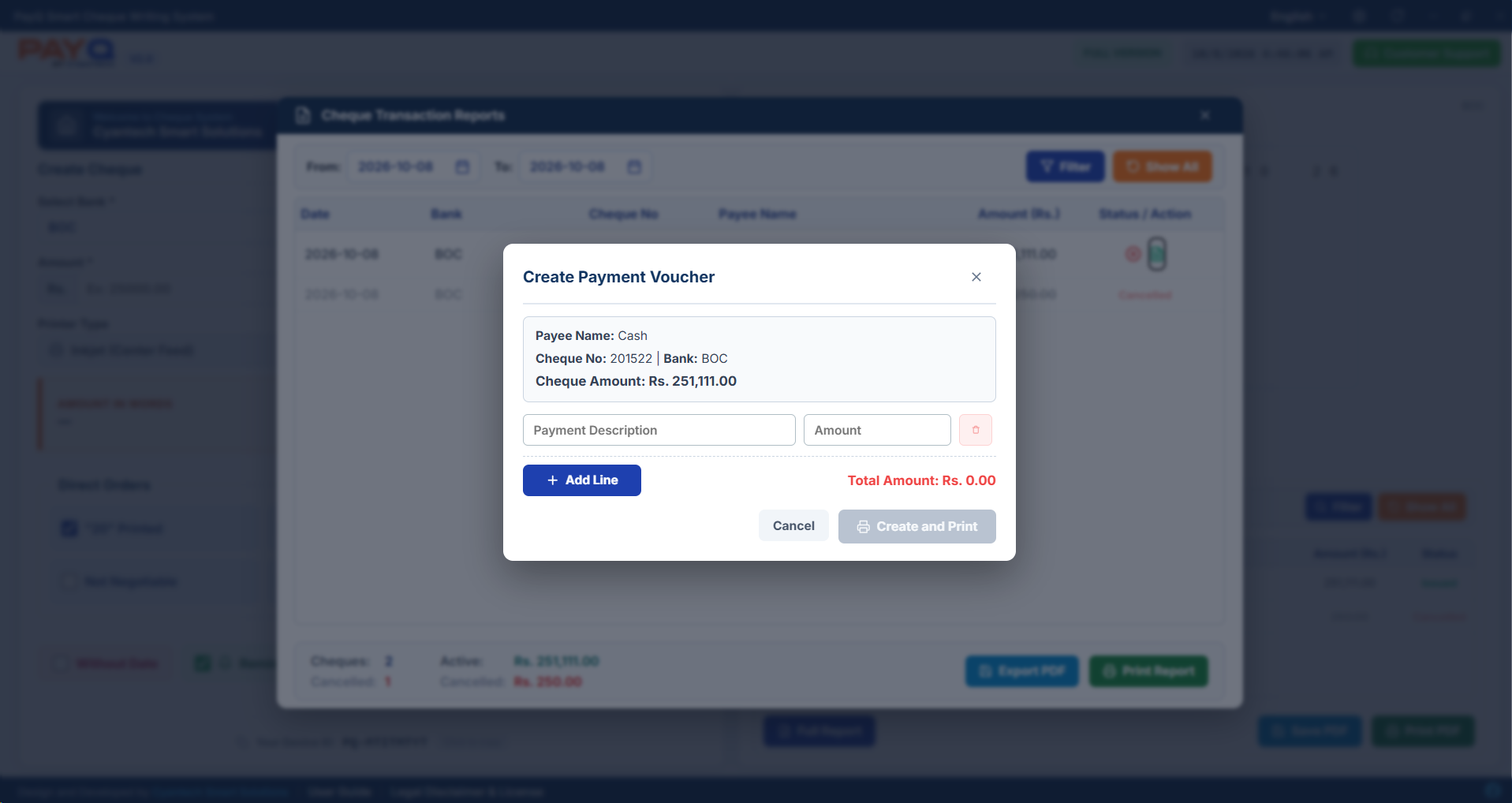
Generate itemized payment vouchers for issued cheques with auto-calculation, custom descriptions, and one-click reprint.
Configure starting cheque numbers per bank. The system automatically increments numbers upon each print without data loss.
Lock your specific feed style (Center feed, Right feed, Dot Matrix) in settings. Stays perfectly preserved even when forms are cleared.
Mark bounced or voided cheques as Cancelled with tri-lingual confirmation modals. Fully separated in summary ledger calculations.
One-click online version checker directly links with payq.cyantech.lk to deliver new features and template fixes effortlessly.
Elevate your professional financial documents. Customize every cheque with transparent company seals, signatures, and company header details designed specifically for formal office management.
Never hand over a cheque without an authorized receipt. PayQ automatically connects each issued cheque to an itemized voucher with company headers, sign lines, and unique serial tracking.
Splits multiple invoice items and balances exact cheque amounts automatically.
Access saved vouchers anytime directly from the transaction reports table.
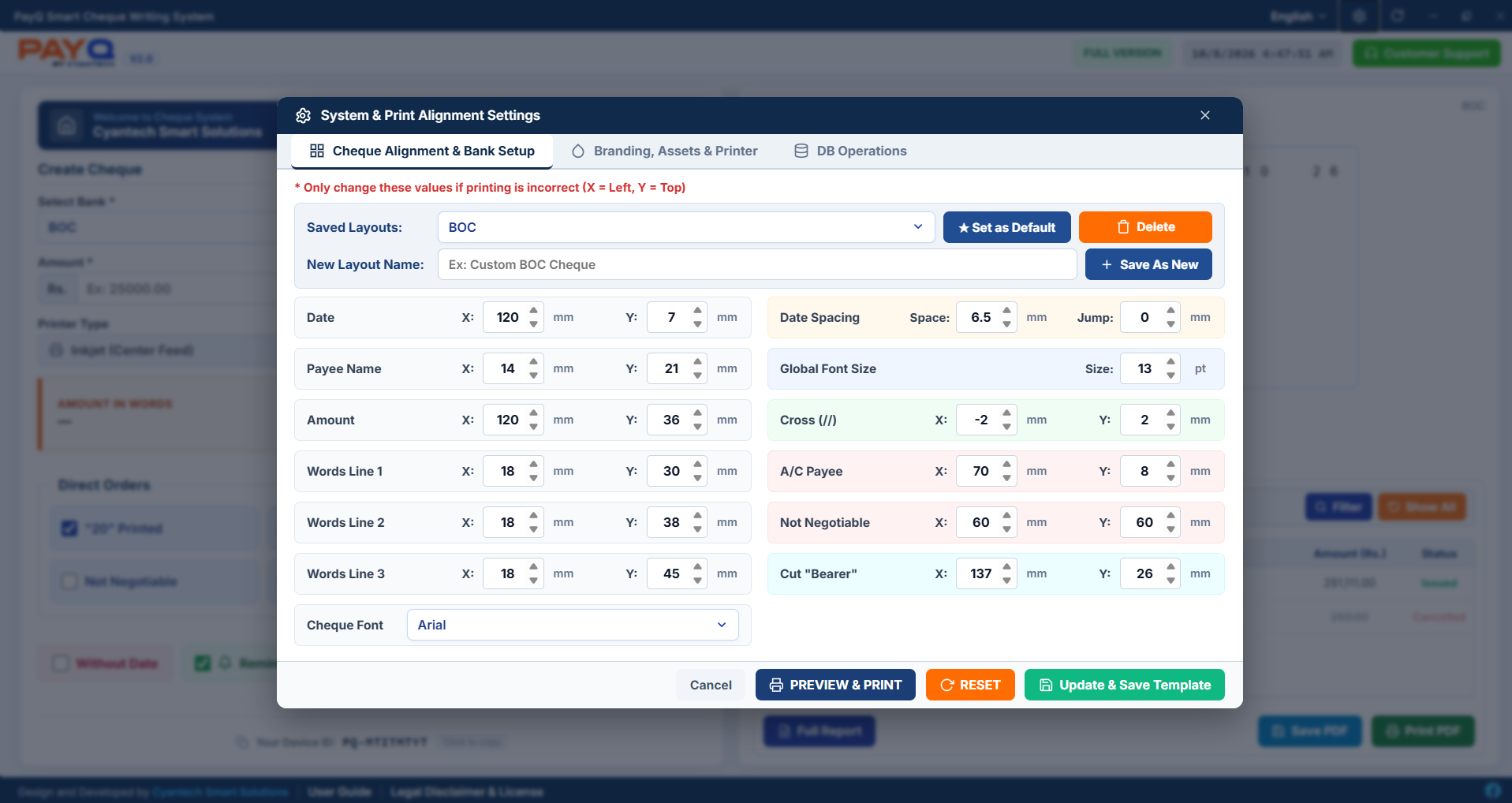
Calibrate Date, Payee, Amount in Figures, 3-Line Words, Crossings (//), and Bearer markings with millimeter exactness. Fully customizable for every commercial bank in Sri Lanka.
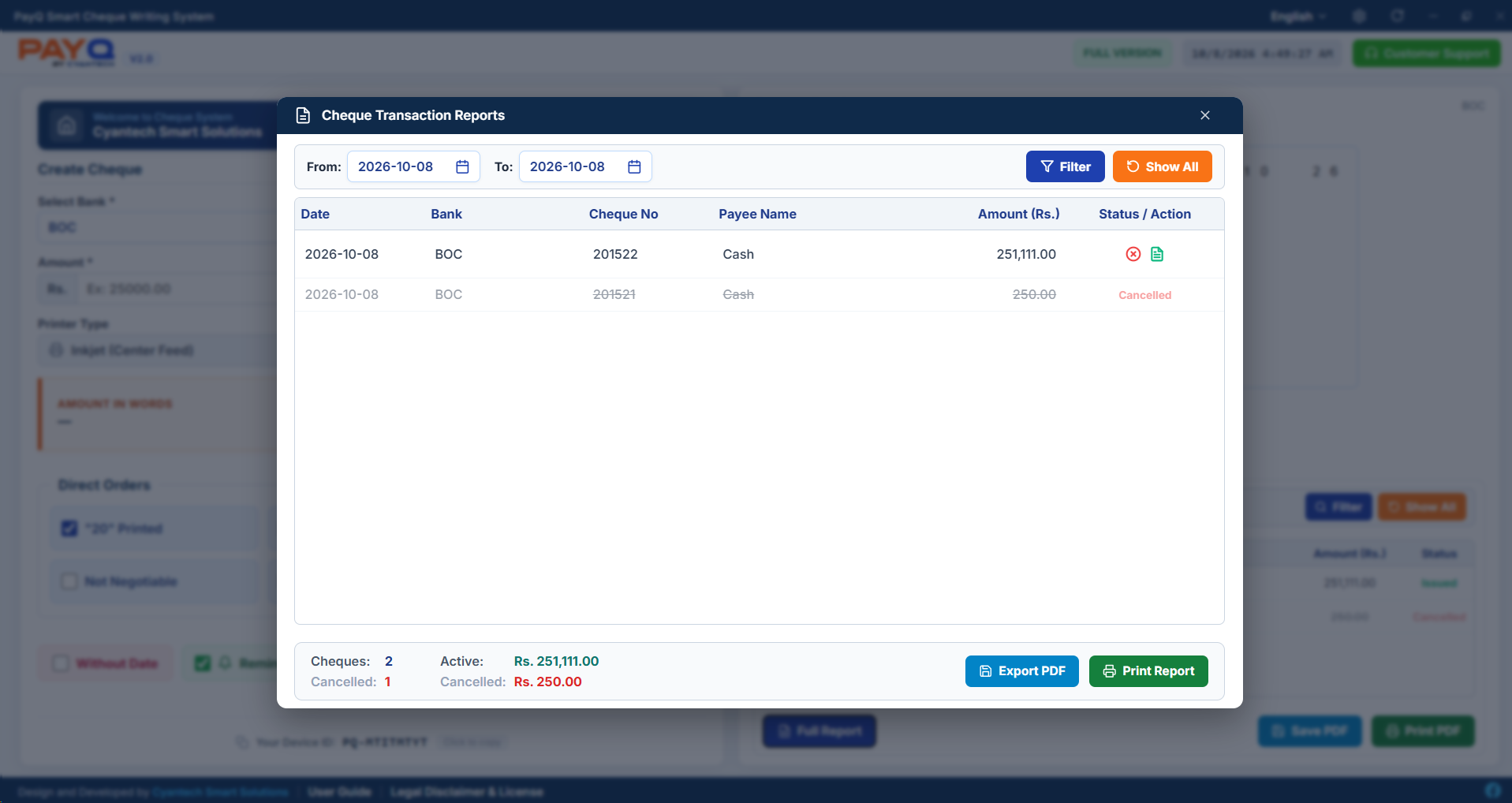
Maintain an ironclad audit trail of all cheque issuances. Filter by custom date ranges, view Active vs Cancelled summary ledgers, and export formal PDF summary reports.
Safely cancel void cheques without altering sequential numbering.
Directly export A4 PDF reports for accounting audits in one click.
One-Time Activation • All Features Included • No Subscriptions
Add a custom paper size (90 mm × 178 mm) in Windows Printer Preferences named "PayQ".
Select your bank profile, adjust millimeter coordinates, and lock your default printer feed style.
Input payee and amount. Confirm print, and optionally generate an itemized linked voucher receipt.